Running your Bruno Collection allows you to interact with, and test, an API. We allow you to run your Collections a few different ways:

Collection Runner

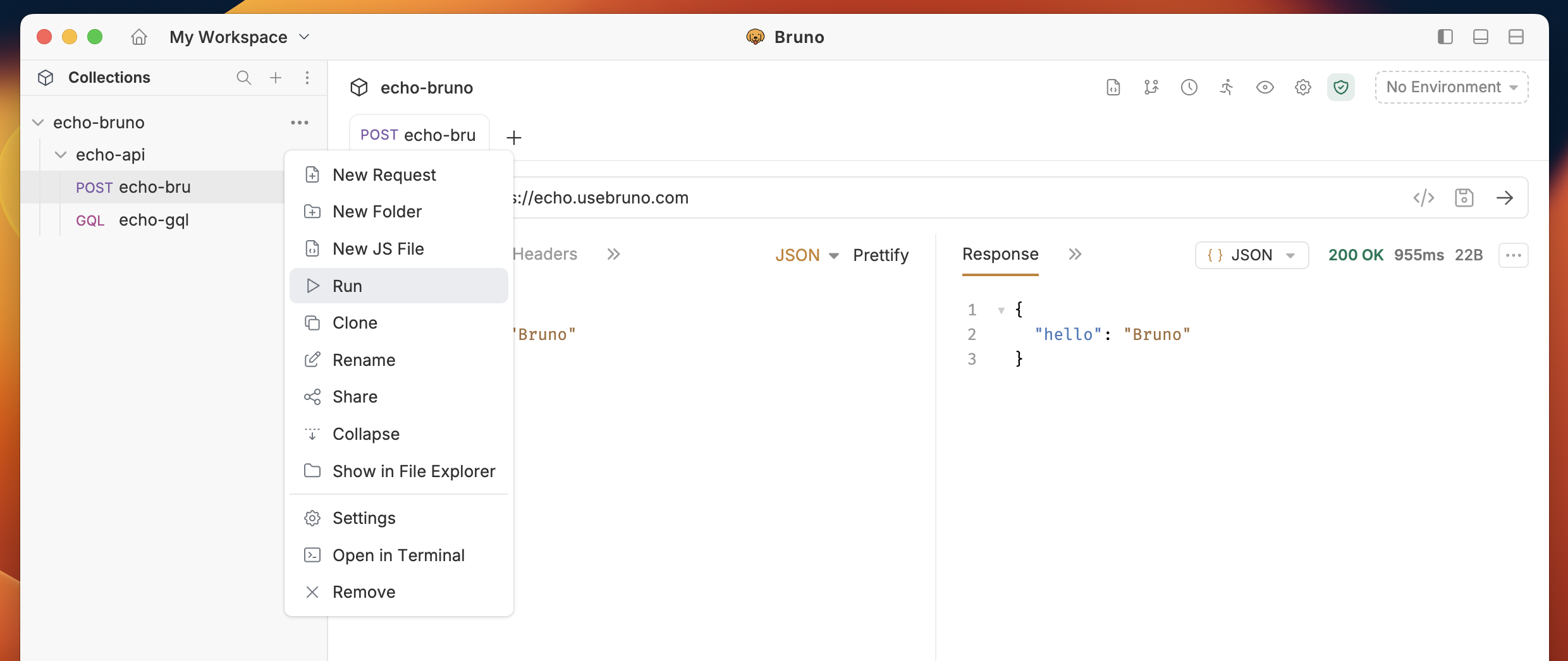
We have a built-in Collection Runner that allows for unlimited runs. Run your Collection by either clicking the ... button next to your Collection in the sidebar then select Run Click Run or click the Collection Runner icon in the top bar of the application. Collection Runner You’ll now have access to run the collection, add parameters, or set a delay between requests.
The Collection Runner does not include gRPC and WebSocket requests. Only HTTP requests will be executed when running a collection.
Data-driven testing by using a .CSV file is available in our Pro and Ultimate Edition
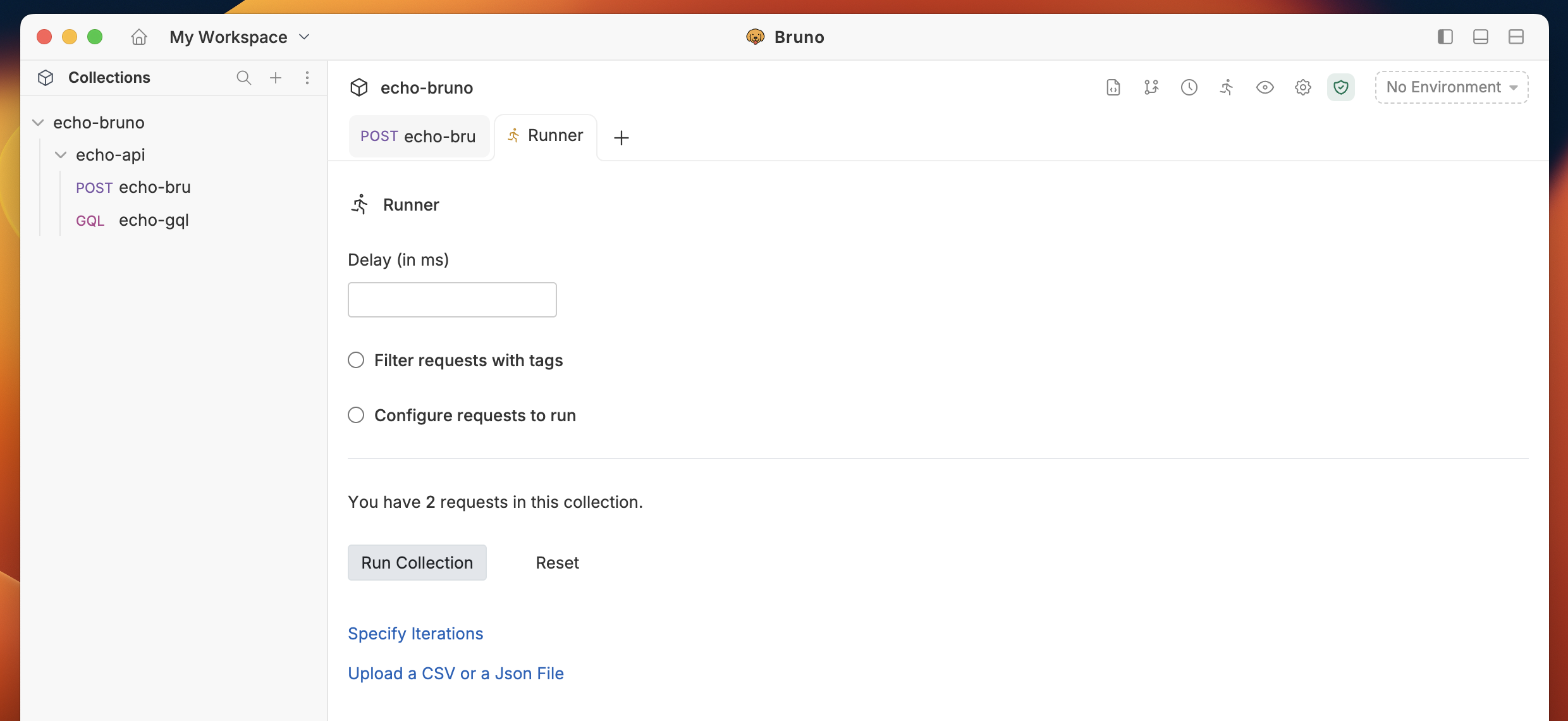
Collection Runner

Automating Runs in CI/CD

Bruno offers a command-line utility to run Collections. This allows you to integrate your tests into a CI and build process. For more information, head to the page for Bruno CLI
