Configure Bitbucket
You need to set up an SSH key with Bitbucket. While you can also set up app passwords (HTTPS), this requires you to enter your password on every operation. SSH is a more convenient and secure way to work with Bitbucket.Create Repository on Bitbucket
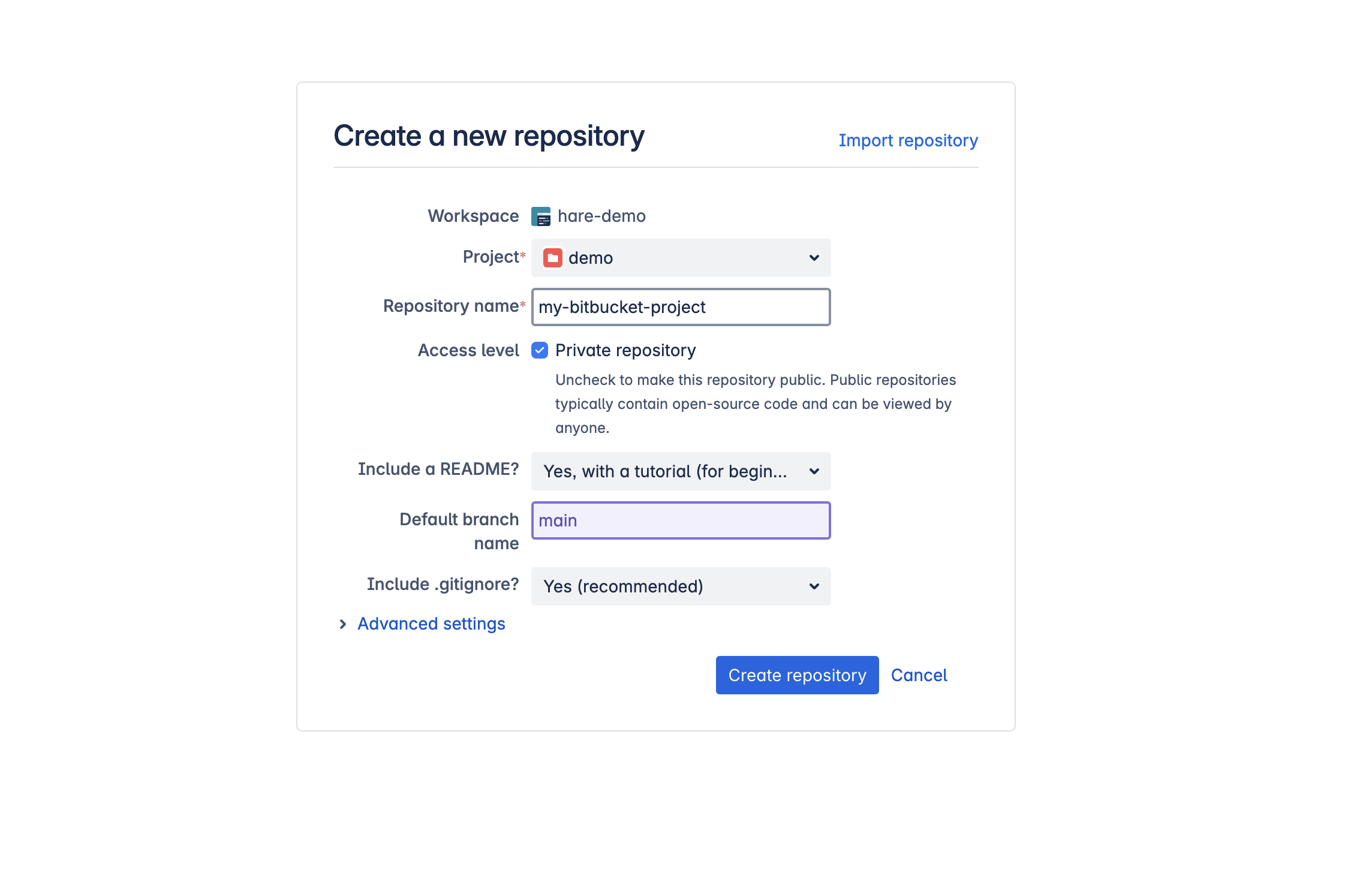
To get started, you have to create a project/repository on Bitbucket. Follow these steps:- Log into your Bitbucket account (create one if you don’t have one)
- Click on the Create button and select Repository from the dropdown list
- Fill in all required fields and click Create Repository
Configure SSH Key
Follow these steps to configure an SSH key on your local system:1. Generate SSH Key
Open your terminal and execute:2. Add SSH Key to SSH Agent
Add the SSH key to your SSH agent so it can be used for authentication:3. Add the SSH Key to Your Bitbucket Account
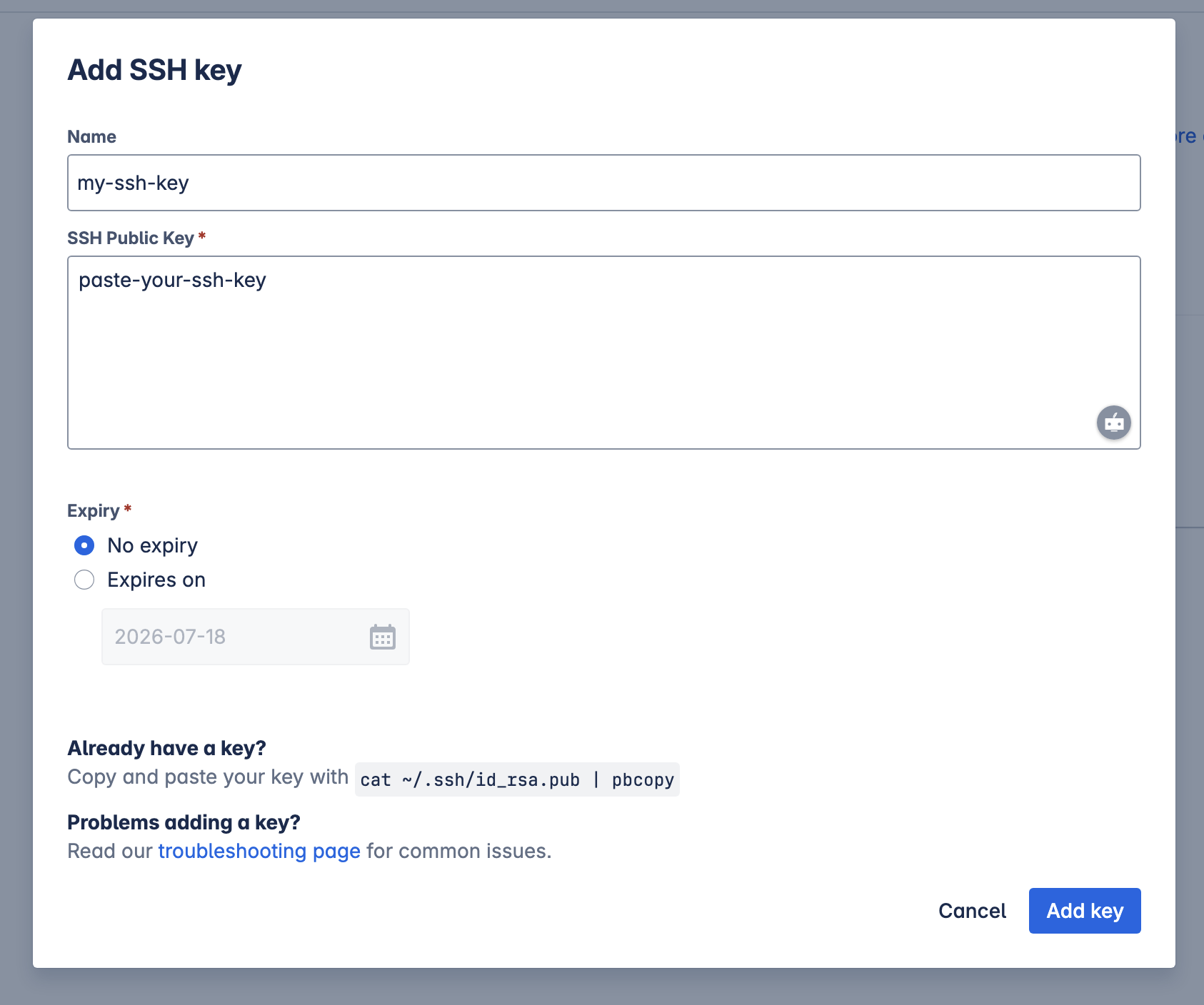
- Go to Bitbucket > Personal Settings > SSH Keys
- Click Add Key
- Paste your
id_ed25519_bitbucket.pubcontent
Use Bitbucket with Bruno
- Create a Collection inside Bruno (if you haven’t already)
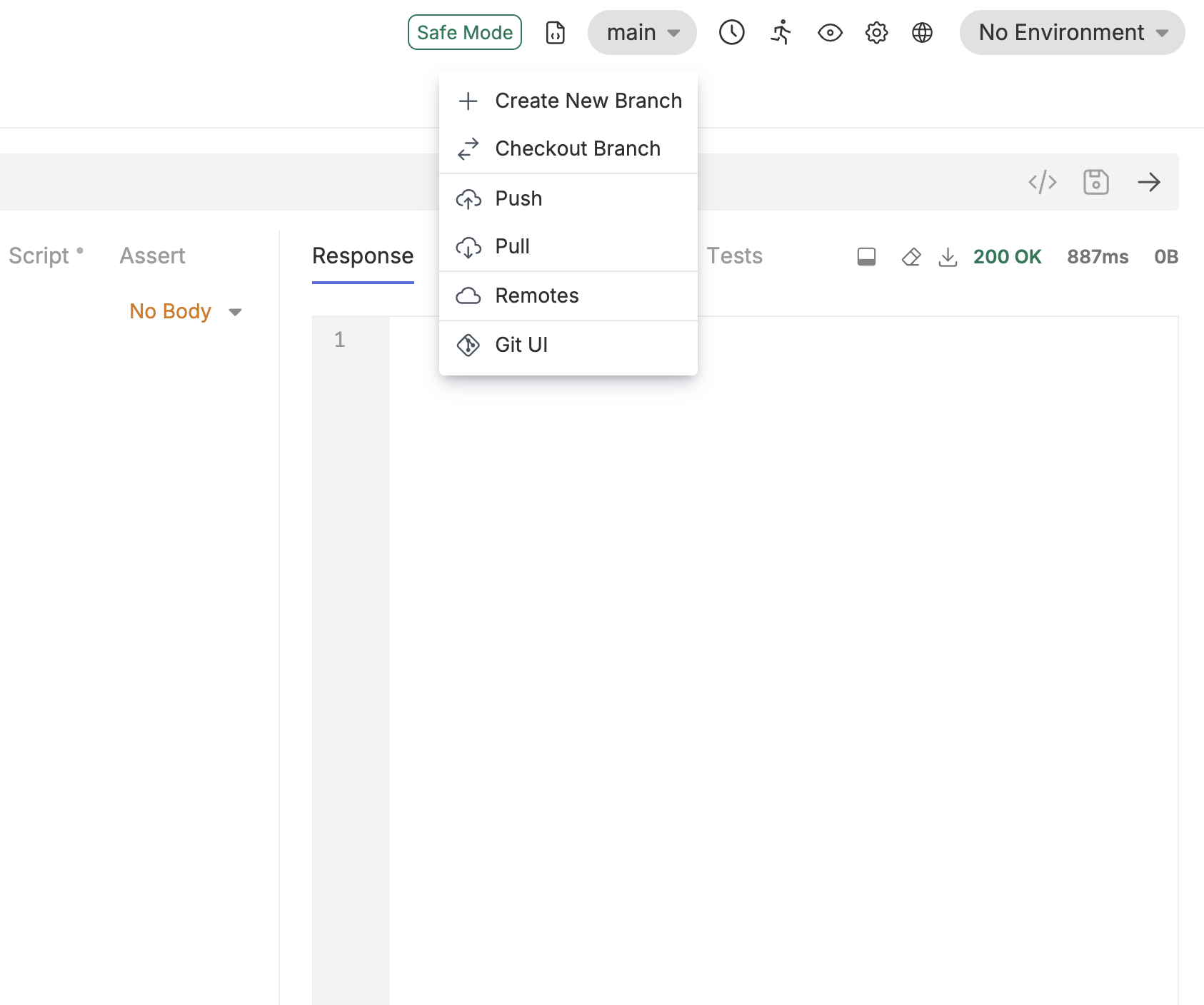
- Click on the Git icon (next to Safe Mode) and select Initialize repo
- Click on main and select Remotes from the dropdown
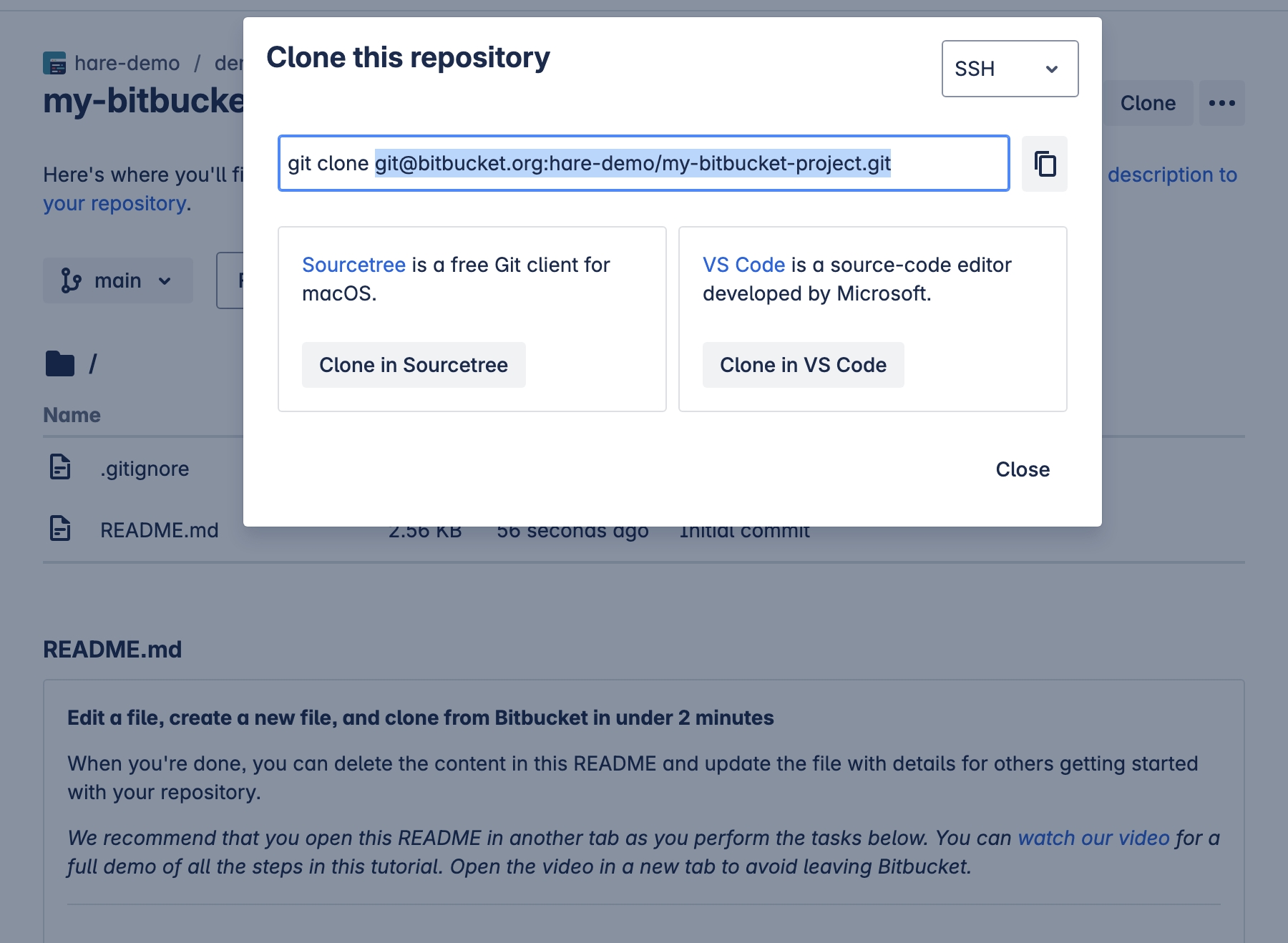
- Add origin as the name of the remote and paste your repository URL (copied previously)