

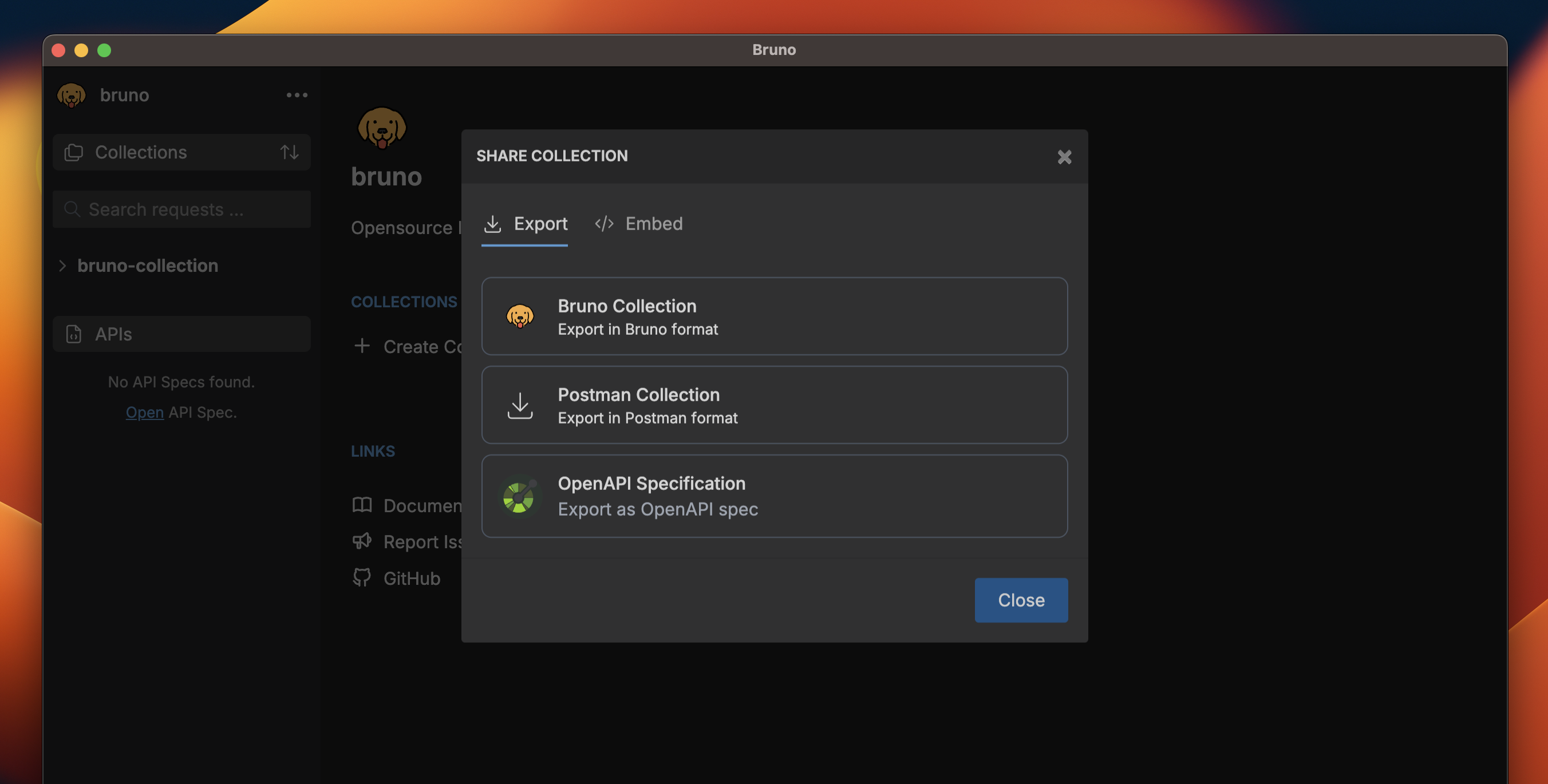
Bruno exports collections in OpenAPI Specification (OAS) V3 format, which is widely supported by API tools and platforms.
Prerequisites
Before exporting a collection, ensure:- Your collection is properly organized with clear request structures
- All endpoints have appropriate HTTP methods defined
- Request parameters and headers are properly configured
Exporting to a File
- Open Bruno and navigate to your collection
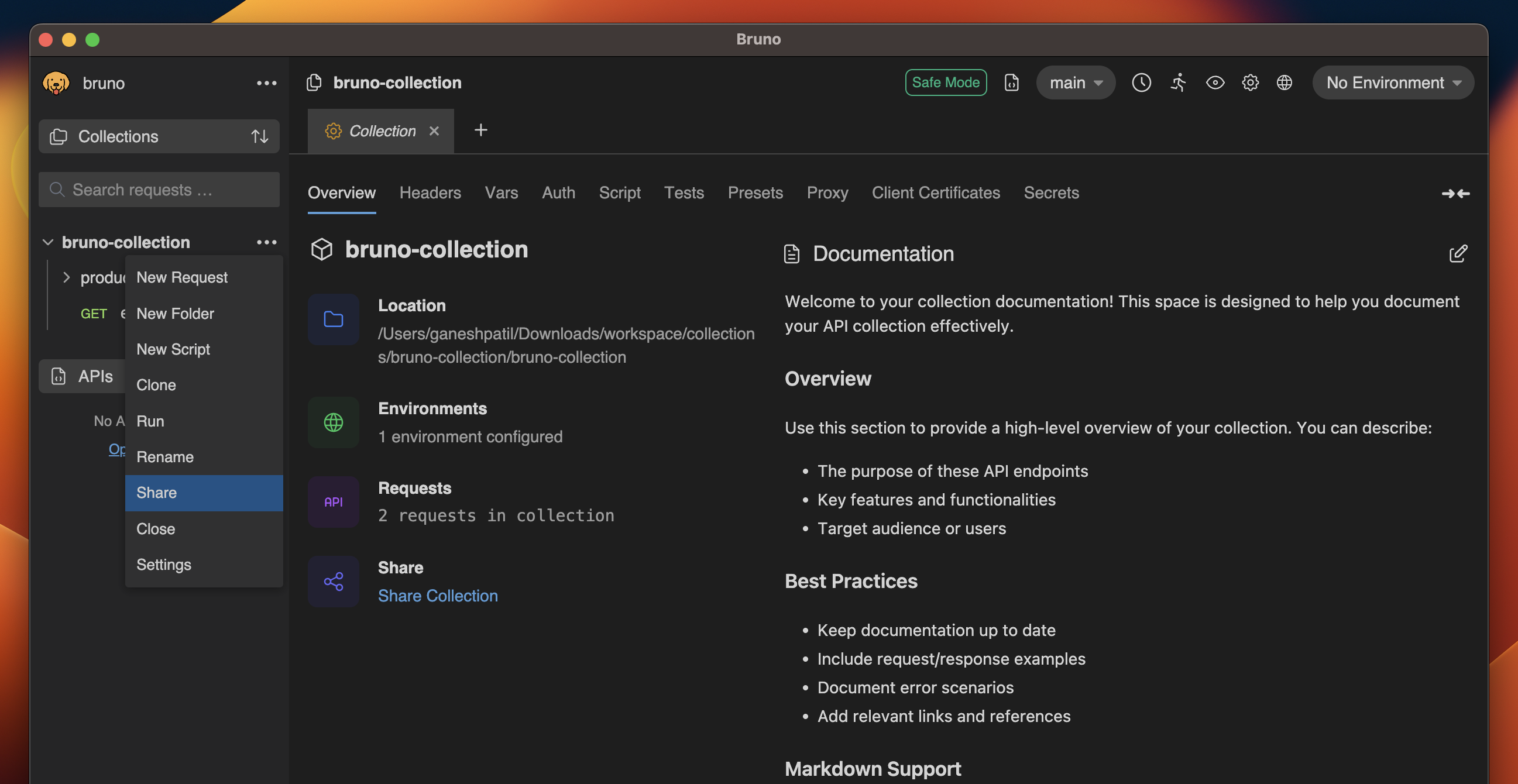
- Click on the context menu (three dots) in the collections panel
- Select Share from the dropdown menu
- Choose OpenAPI Specification option
- Enter name of your file and location.
- Click Create