

Creating a WebSocket Request
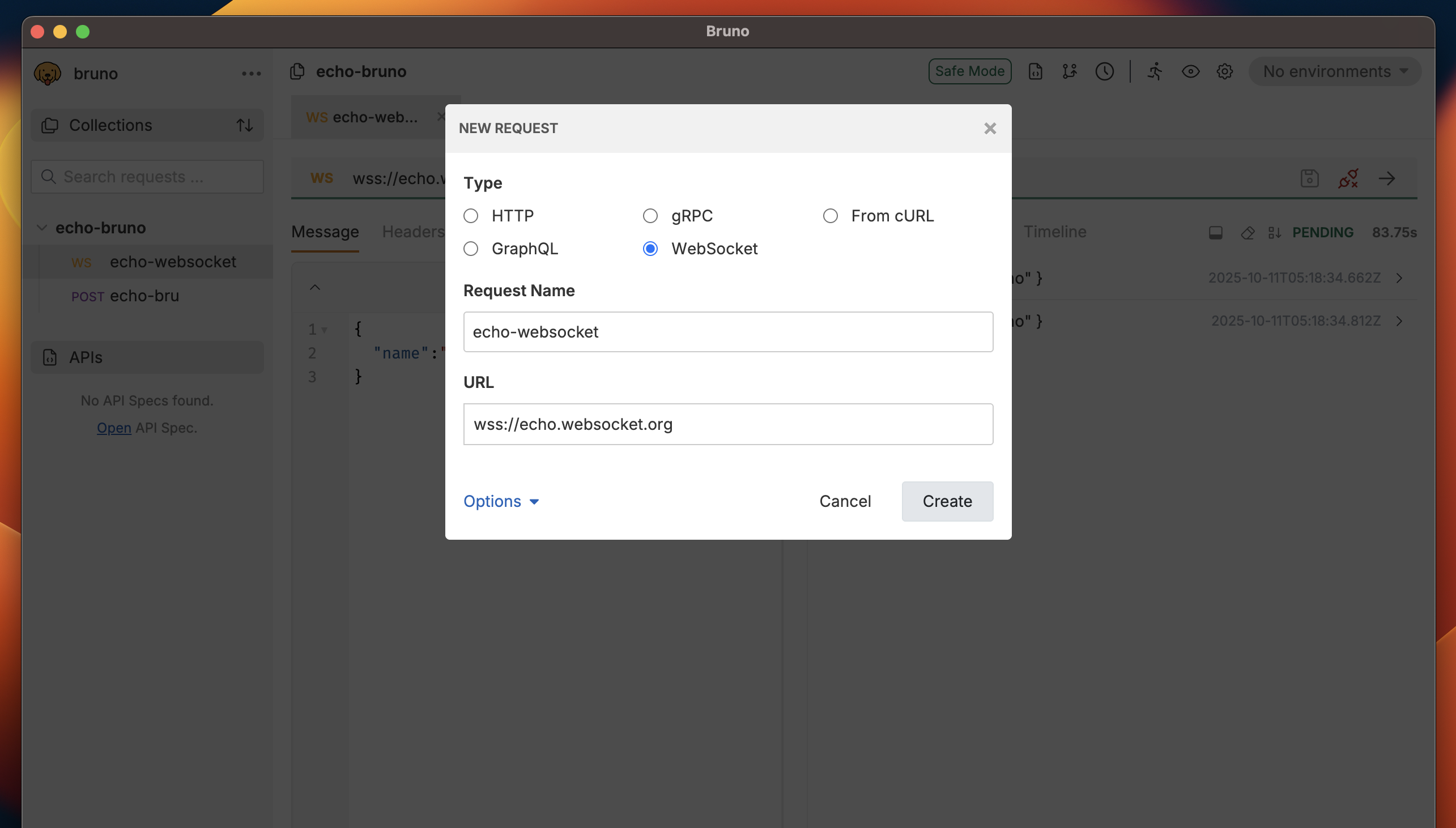
Step 1: Add New Request
- Open your collection in Bruno
- Right-click on the collection or folder where you want to add the request
- Select “New Request” from the context menu
- Choose “WebSocket” as the request type
Step 2: Configure WebSocket URL
- Enter the WebSocket URL in the address bar
- Use
ws://for unsecured connections - Use
wss://for secured connections (recommended for production)
- Use
Step 3: Configure Headers
- Click the Headers tab
- Add custom headers as needed:
- Authorization: Bearer tokens, API keys
- Custom Headers: Any additional metadata
- User-Agent: Custom user agent strings
Step 4: Set Connection Options
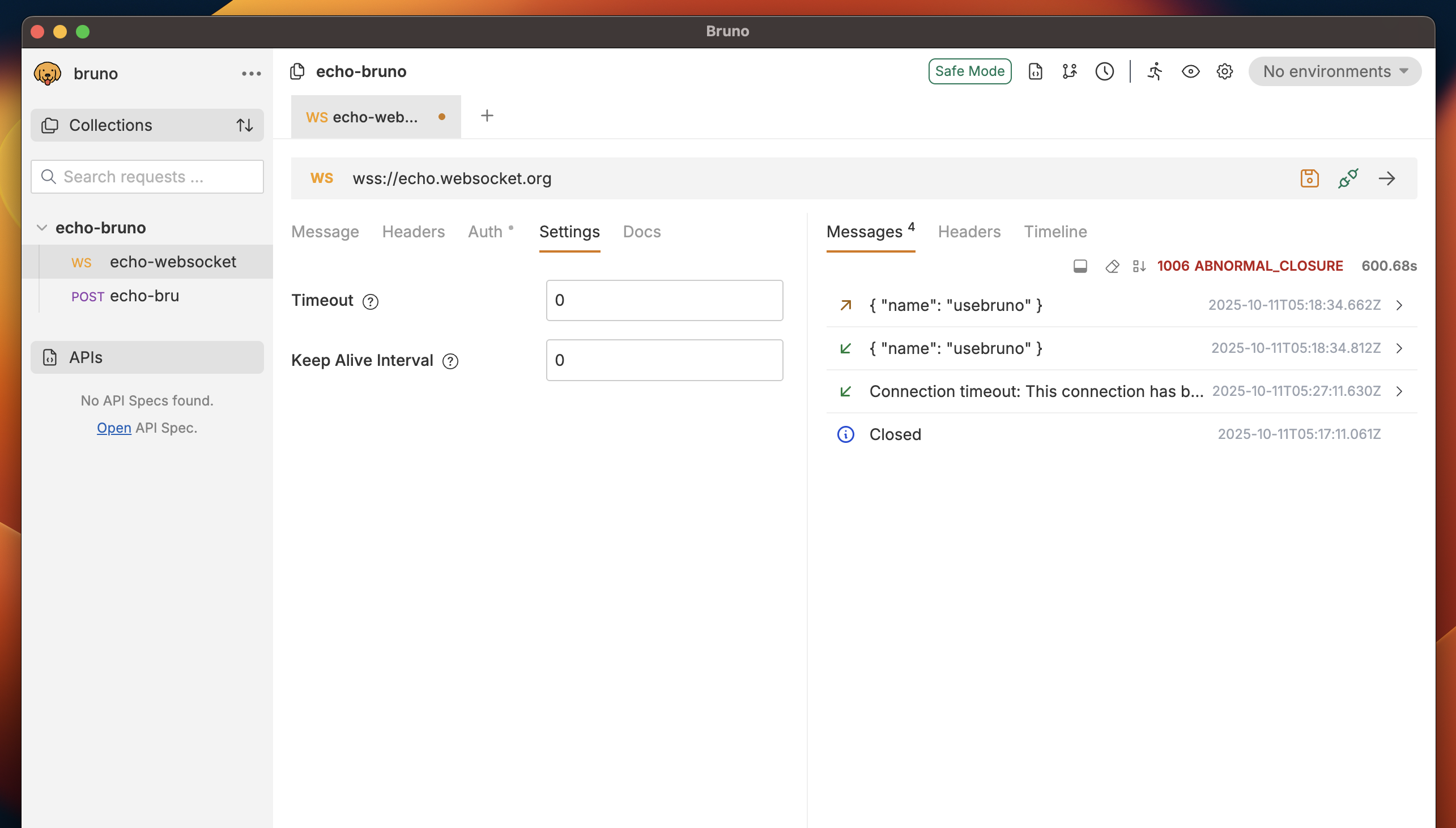
- Click the Settings tab
- Configure connection settings:
- Set the maximum time to wait for connection establishment
- Default: 30 seconds
- Range: 1-300 seconds
- Enable automatic reconnection on connection loss
- Useful for testing resilient WebSocket implementations
Step 5: Configure Subprotocols (Optional)
Bruno supports WebSocket subprotocols, allowing you to specify the application-level protocol to use over the WebSocket connection. Setting a Subprotocol WebSocket subprotocols enable your client to specify which protocol variant it wants to use. To set a subprotocol in Bruno:- Add the
Sec-WebSocket-Protocolheader in the Headers tab - Specify one or multiple subprotocols
Sec-WebSocket-Version header. This is useful when testing compatibility with servers that support multiple WebSocket versions:
WebSocket protocol version 13 (RFC 6455) is the current standard. Most modern servers use this version by default.
- The connection will be rejected
- You’ll see a 400 Bad Request response
- Check the response details to understand why the server rejected the connection
Sec-WebSocket-* headers if needed for testing specific scenarios:
Sec-WebSocket-Key: Custom key for handshake (auto-generated by default)Sec-WebSocket-Extensions: Specify compression or other extensions